N°04 Shopify app — part of Normalize

Everfield app icon
Everfield - Product Options
part of Normalize — usenormalize.com

Product options that feel native.

Option sets and custom fields on any product page or cart — swatches, engraving text, uploads, price add-ons, conditional logic. Every answer lands on the Shopify order itself.

  • Free plan
  • 7-day trial
  • No theme files touched
  • Data stays in Shopify
Live demo — try it

Signet Ring — solid brass

DEMO PRODUCT · BASE $24.00
Finish
Shown exactly as typed0/20
19Field types
02Placements — product & cart
<30 KBStorefront runtime
100%Data stored in Shopify
Abstract geometric illustration of a product page form and a cart drawer joined by a construction line around a double-slash mark

01 — Features

What ships in the box

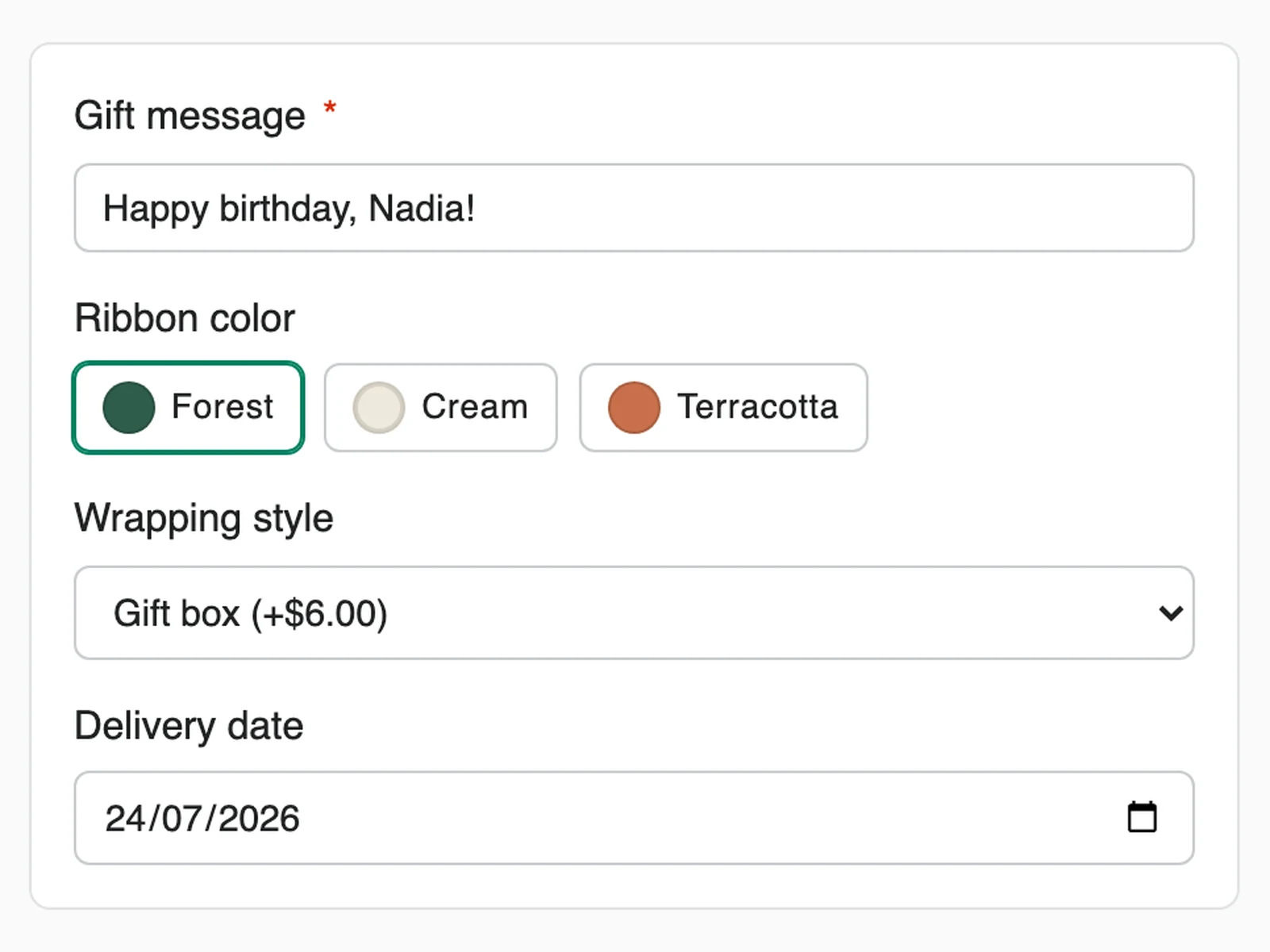
Geometric illustration of input field types — text, dropdown, radios, checkboxes, swatches, date, upload and price add-on

F.01

19 field types, one builder

Everything from a plain text line to color swatches, date pickers and file uploads — assembled in a drag-and-drop editor, no code anywhere.

  • Text, textarea, number, email, phone with country code
  • Dropdown, radio, swatches, multi-select, product picker, date
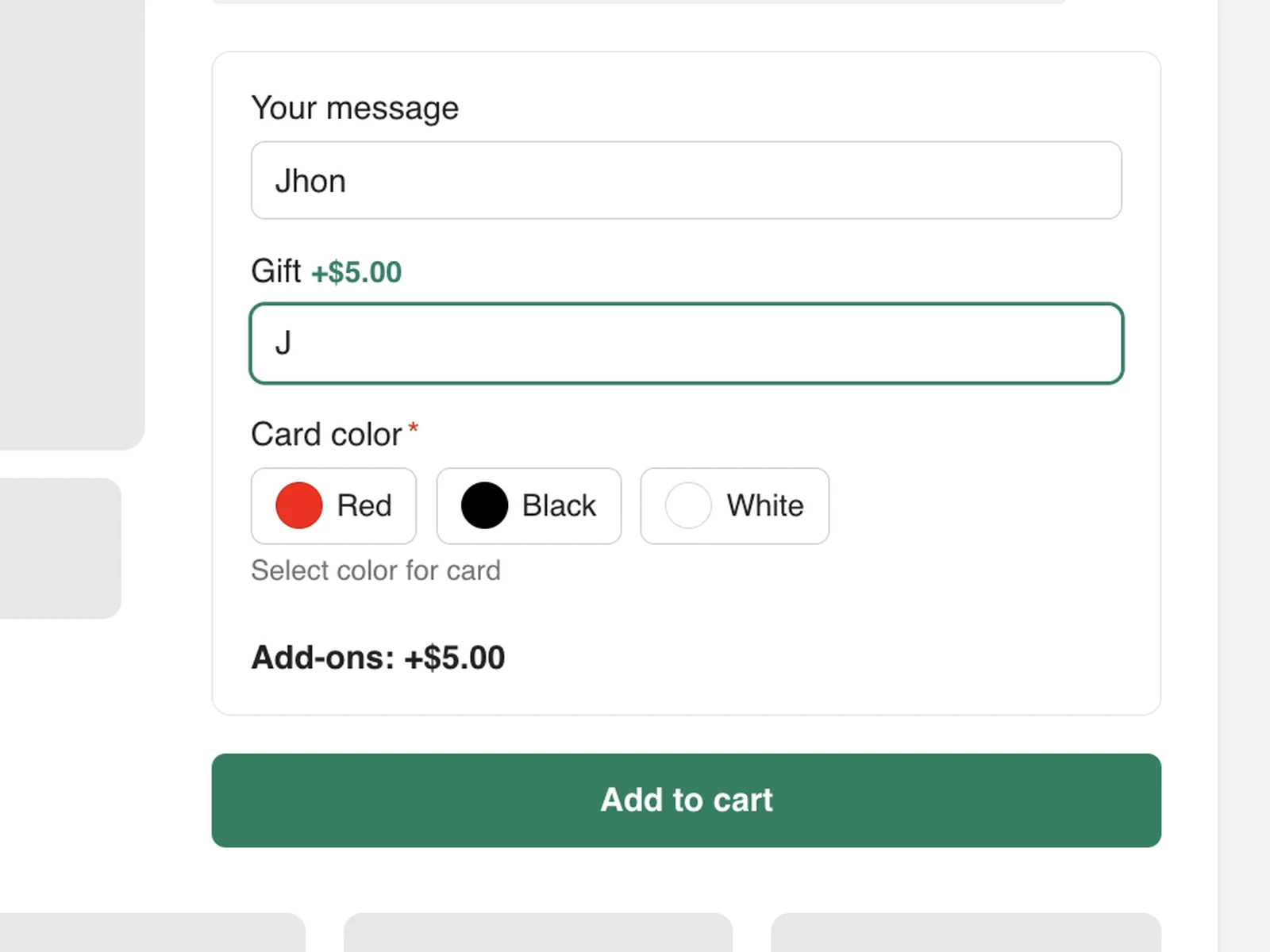
  • Price add-ons per option — charge for engraving or gift wrap
  • Conditional logic: show fields only when answers call for them
Geometric illustration of the two placements — product page block and cart drawer injection

F.02

Product page and cart — both covered

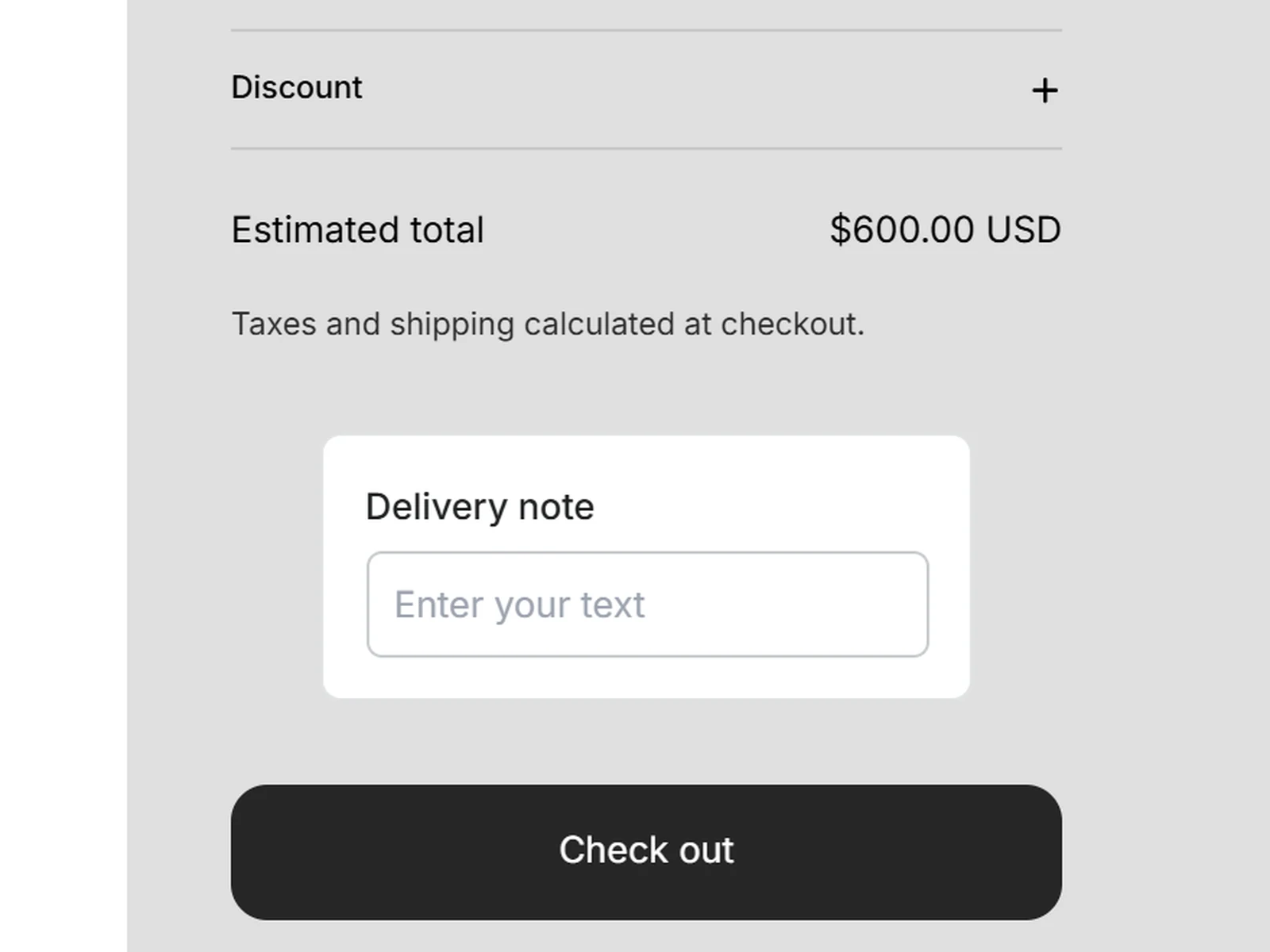
Most options apps stop at the product page. This one also injects above any checkout button — cart page or slide-out drawer — via a CSS selector.

  • Product page: theme app block, answers saved per line item
  • Cart & drawers: order-level fields saved as cart attributes
  • Targeting by product, collection, country, device or tag
Geometric illustration of form answers flowing into a Shopify order document

F.03

Answers live in Shopify, not our database

Every value is written to the order as native line item properties or cart attributes. Your reports, exports and fulfillment apps see it — and it survives uninstalling.

  • Line item properties on every product-page answer
  • Cart note attributes for order-level answers
  • Customer uploads stored in your own Shopify Files CDN
Geometric illustration of the visual builder mirrored by a live preview panel

F.04

Design it once, preview it live

The editor renders your exact storefront widget while you build — same engine, same styles. Live preview is on every plan, including Free.

  • Drag-and-drop field builder with starter templates
  • Style controls that respect your theme's look
  • Publish and roll back without touching theme files

02 — How it works

Live in minutes

STEP 1

Build your fields

Pick a placement — product page or cart — then drag in fields, set conditions and prices, and style to match your brand. The live preview shows the real widget as you work.

~ 2 minutes
STEP 2

Publish

One click compiles your form and pushes it to the storefront through Shopify metafields. No theme files are edited — enable the app embed and you're done.

1 click
STEP 3

Read answers on every order

Customers fill your fields; their answers attach to the cart and arrive on the Shopify order as line item properties and note attributes, ready for fulfillment.

Automatic

03 — The standard

Same bar as every Normalize app

Built to disappear into your theme.

STD.01

Native order data

Line item properties and cart attributes — never a third-party database between you and your orders.

STD.02

No Shadow DOM

CSS-scoped markup renders as part of your theme — and still injects into Shadow-DOM carts like Rebuy.

STD.03

Featherweight runtime

One sub-30 KB script, pre-compiled HTML — no jQuery, no third-party trackers.

STD.04

Conditional logic engine

Show, hide and require fields based on earlier answers — evaluated instantly on the storefront.

STD.05

Live preview, every plan

The exact storefront rendering inside the editor — not a paid-tier extra.

STD.06

Uninstall-safe

Remove the app and your theme is untouched; collected answers stay on their orders forever.

04 — Use cases

If customers need to tell you something

U.1 Jewelry & engraving

Engrave every order

Engraving text with a character limit and a price add-on, revealed only when the customer opts in. Fulfillment reads it straight off the line item.

U.2 Gift shops & florists

Gift messages in the cart

An order-level message field above the checkout button — product page untouched, message arrives as a note attribute on the order.

U.3 Print-on-demand

Collect artwork upfront

Customers upload logos or photos on the product page; files land in your Shopify CDN with the URL pinned to the line item.

U.4 Food & bakery

Allergies & cake text

Multi-select for allergens, a text field for the inscription, a date picker for pickup — all validated before checkout.

U.5 Pet products

Personalize by pet

Pet name, breed dropdown and photo upload for custom tags, portraits and embroidered gear.

U.6 B2B & wholesale

PO numbers on every order

Required purchase-order and delivery-instruction fields in the cart — structured data instead of a free-text cart note.

05 — How it compares

Public listings, July 2026

CapabilityEverfieldGloboEasifyInfinite Options
Cart & drawer injection above checkout buttonYesNoNoNo
Answers saved as native Shopify order dataYes — alwaysVariesVariesVaries
Data survives uninstallingYesVariesVariesVaries
Live preview on the free planYesPaid tierPaid tierNo free plan
Works inside Shadow-DOM carts (Rebuy, CartX)YesVariesVariesVaries
Free planYes — 200 views/moYesYesTrial only
Paid plans from$6.95/mo$9.90/mo$9.99/mo$12.99/mo

Compiled from public Shopify App Store listings, July 2026. Competitors are strong apps — check their listings for current details. "Varies" = depends on field type or plan per their documentation.

06 — Pricing

Start free — upgrade when traffic does

Free

$0 /MO200 widget views / month
  • All 19 field types
  • Product page & cart placements
  • Live preview
  • Starter templates
  • 24/7 support
Start free

Basic Popular

$6.95 /MO1,000 widget views / month
  • Everything in Free
  • Conditional logic
  • Image uploads to Shopify CDN
  • 50% off your first month
  • 24/7 support
Start 7-day trial

Advanced

$19.95 /MO10,000 widget views / month
  • Everything in Basic
  • Targeting: product, collection, country, device, tag
  • 50% off your first month
  • 24/7 priority support
Start 7-day trial

Unlimited Plus

$24.95 /MOUnlimited widget views
  • Everything in Advanced
  • No view metering, ever
  • 50% off your first month
  • 24/7 priority support
Start 7-day trial

A view is counted each time a customer sees your fields on the storefront. Every paid plan includes a 7-day free trial and 50% off the first month. Cancel anytime — collected order data stays yours.

07 — FAQ

Straight answers

Will it work with my theme?

Yes. The widget is plain, CSS-scoped HTML — no Shadow DOM, no iframe. It renders as a native part of any Online Store 2.0 theme (Dawn, Prestige, Impulse, Turbo, custom builds) and also injects correctly into third-party carts that do use Shadow DOM, like Rebuy Smart Cart.

Where does the data go if I uninstall?

Nowhere — it's already yours. Answers are stored as Shopify line item properties and cart attributes on each order, not in our database. Uninstalling removes the widget, but every order keeps its data, exportable like any other order field.

What counts as a widget view?

One view is counted each time a customer sees your fields on the storefront. Plans meter views per month; the app shows live usage so you always know where you stand.

Do I need a developer?

No. You build fields in a visual editor with a live preview, then publish. The app injects via a theme app embed — no theme files are edited, and turning the embed off restores your theme exactly.

Can I use product page and cart placements together?

Yes. Product-page widgets save per-item answers as line item properties; cart widgets save order-level answers as cart attributes. Run both at once — engraving per item, delivery note per order.

Does it work with Shopify checkout?

Yes. Values attach to the cart before checkout starts, ride through Shopify checkout untouched, and appear on the order in your admin — no checkout scripts required.

Where are customer image uploads stored?

In your own store's Shopify Files (CDN). The order carries the file URL, so fulfillment sees exactly what the customer uploaded — and the file stays in your Shopify account.

Can I translate field labels?

Labels are free text — write them in your store's language today. Structured multi-language translations for multi-locale stores are on the roadmap.

Ship options that feel native.